6

Download our free trial version

PhotoRescue is a risk free data recovery solution for SD Cards, Compact Flash Cards and other media used for the storage of pictures, photos, image, films and other multimedia files. PhotoRescue will show you an accurate preview of the photos it can recovers. PhotoRescue never writes to the recovered media.

WINDOWS XP & VISTA

PhotoRescue PC

DOWNLOAD
(version 2.1.696 Q2 2008)

Manual (PDF - 870kb)


Mac OS X

PhotoRescue Expert Mac OS X

DOWNLOAD (ZIP)
(Version 2.1.696 Q2 2008)

Manual (PDF - 870kb)


Quick Start

Step 1 - connect your card, hard drive or other type of device to your PC using a USB, Firewire or eSATA connection. We recommend that you use a card reader for camera card recoveries.

Step 2 - start PhotoRescue and select the device whose size matches the size of the device you want to recover.

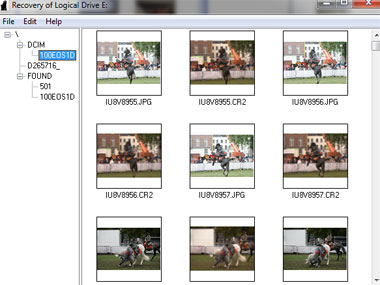
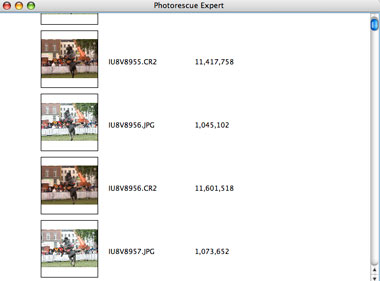
Step 3 - at the end of the recovery, PhotoRescue will show you a preview of the recoverable files. If you like what you see, purchase the full version here.

Additional Resources
  • user guide This guide is in Adobe Acrobat (PDF) file format.updated 10/2005).
  • short user guide (USA) Very short - 2 pages - guide (last updated Nov 2003).
  • demo movie - a sample recovery by PhotoRescue Expert in physical mode (requires flash).
  • updates : PhotoRescue comes with a year of support and updates. You will need both your original order number and the original e-mail address to which the program was delivered.
  • support center
Additional Versions

PhotoRescue Wizard is a version intended for the novice user. While it uses the full PhotoRescue data-recovery engine, it attempts to decide all the recovery parameters by itself. See PhotoRescue Version 3.x site

PhotoRescue Advanced is the ultimate data-recovery solution for digital media. It is a tool intended for the very advanced user. It is able to virtually rebuild fragmented pictures & photos from parts located on different areas of the media - an evaluation version of PhotoRescue Advanced and a tutorial can be found here.